


Avanquest AMS PhotoGlory PRO for Windows (Download)
Avanquest PhotoGlory PRO – Windows AI-Powered Photo Restoration and Colorization Software
Avanquest PhotoGlory PRO is a dedicated Windows system utility designed to repair scratched, faded, and damaged vintage photographs cleanly without requiring extensive graphic design experience. This practical software tool provides an efficient solution for university history departments, school district archival centers, and student training labs needing to clean up legacy family trees, local community retrospectives, and digital curriculum image assets cleanly. By processing historical graphics in real time using advanced neural networks, this utility allows instructors and students to erase deep physical creases, fix torn print borders, and apply automatic colorizations that standard editing applications leave unmapped. This direct restoration setup eliminates technical friction, protecting old data records and keeping local historical preservation moving forward fluidly.
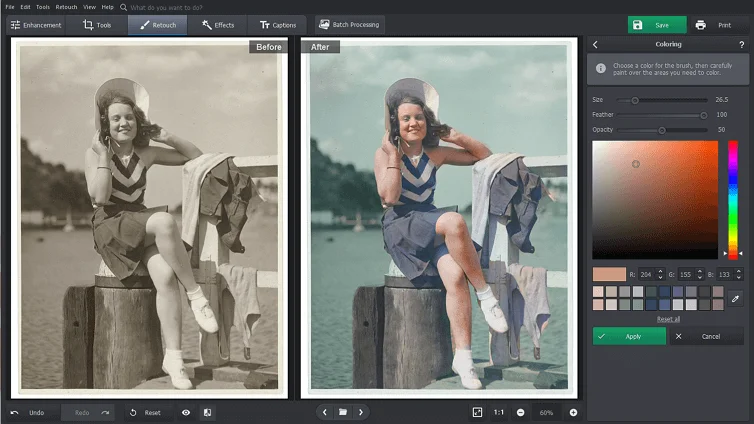
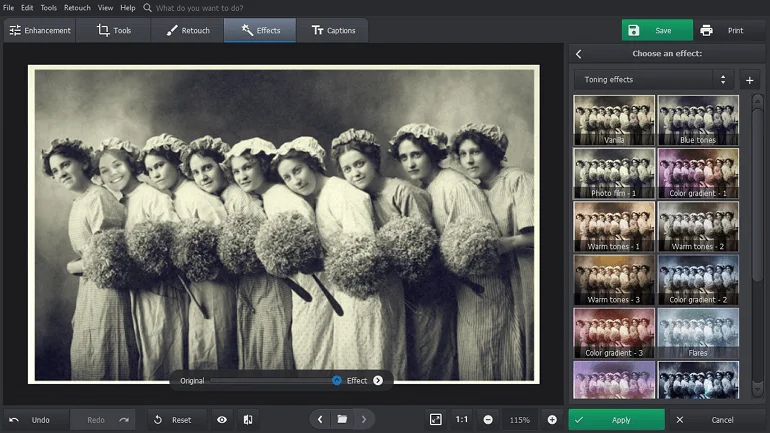
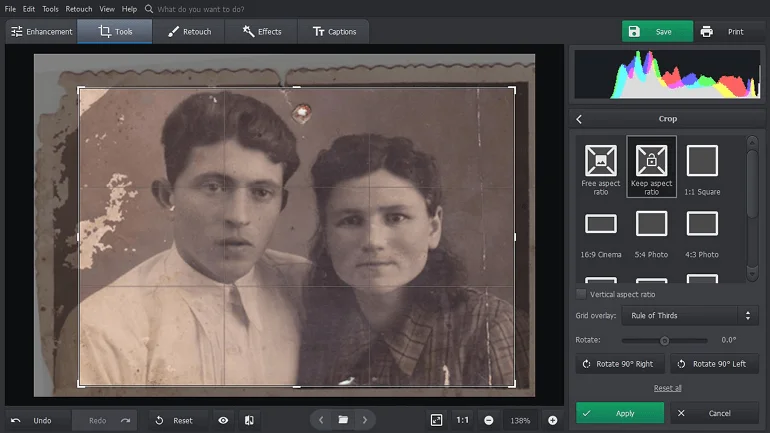
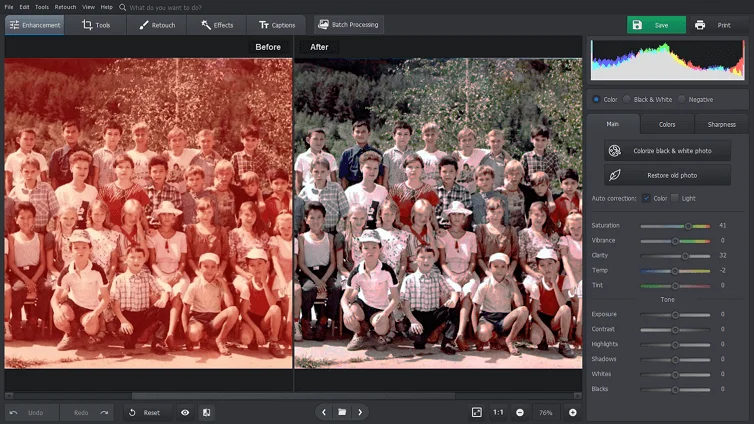
By combining automatic AI-driven repair algorithms with advanced manual retouching tools, this utility simplifies complex image reconstruction tasks. Users can easily apply pre-built sepia tone adjustments, sync faded contrast levels to smart sharpening filters, and remove age spots across their local system profiles. When an image export task is launched, the optimized software engine checks the output format criteria, manages hardware processing priority layers cleanly, and saves the final high-resolution file without causing interface lag loops in your other active programs. This straightforward workflow makes it easy to preserve legacy institutional media records, build professional historical research databases, and distribute crisp image files across school networks at full efficiency.
Batch image processing, color correction, and multi-user project staging are managed through a centralized dashboard layout that provides immediate access to all production modules. This background utility core monitors color saturation ranges, traces texture repair stamps, and passes rendering commands directly to the operating system kernel with complete stability. This setup allows technical teams, network administrators, and classroom operators to preview media compression values, apply dynamic stylized filters, and convert old scanned pictures into standard JPEG, PNG, or TIFF configurations instantly. The lightweight digital software footprint installs quickly onto standard desktop computers or laptop drives, ensuring your creative file preservation and archival tasks are straightforward and reliable.
Key Features include:- 🔌 Native Windows 10 & 11 Fleet Optimization: Advanced software architecture engineered to operate flawlessly as a native image processing utility across your campus computing networks.
- 🧠 One-Click Neural Network Colorization: Intelligent AI-assisted color engine built to automatically transform black-and-white photos into naturally balanced, rich color images natively.
- 🧹 Advanced Scratch and Crease Removal: High-utility restoration brush custom-calibrated to sweep away physical tears, fold marks, dust spots, and print cracks cleanly.
- 📊 Intelligent Faded Color & Contrast Repair: Specialized correction algorithms configured to instantly restore washed-out highlights, balance heavy shadows, and sharpen soft details effortlessly.
- 🎨 Built-In Vintage Filters and Textures: Curated repository pre-loaded with comprehensive historical processing effects to preserve authentic chronological character fluidly.
- 📐 Geometry Correction and Border Reconstruction: Advanced alignment panel designed to straighten crooked scans and reconstruct missing layout boundaries cleanly over a single axis.
- 🖥️ Custom Multi-Tab Status Dashboard Layout: High-resolution central management screen custom-calibrated to deliver immediate tool feedback, adjustment history logs, and export progress reports clearly.
- 🗂️ High-Overhead Batch Processing Engine: Advanced internal calculation core allowing users to apply color profiles and corrections to entire folders of scanned files concurrently to prevent editing delays fluidly.
Specifications:
| Specification | Details |
|---|---|
| Brand | Avanquest (AMS Software Division) |
| Model / SKU Configuration | PhotoGlory PRO / SKU: 11569-E / Digital Download Tier |
| Device Classification | Digital AI-Powered Photo Restoration, Colorization, and Image Retouching Software Utility Application |
| Core Curricular Domain | Historical Archiving / Graphic Arts / Digital Preservation / Museum & Research Library Curation |
| Supported Operating Systems | Microsoft Windows 11, Windows 10, Windows 8, and Windows 7 (64-Bit / 32-Bit Environments) |
| Available Interface Ports | None (Intangible cloud-delivered digital license matching natively onto host Windows computing nodes or local media folders) |
| Fulfillment Management | Instantaneous Post-Checkout Avanquest Activation Portal Digital License Delivery Link Code |
| Compliance Vetting | RoHS Material Compliant / W3C Content Protected / Multi-Core CPU Rendering Vetted Standard Criteria |
💡 PRO TIP #1: BRIDGE ARCHIVAL HARDWARE VIA HIGH-RESOLUTION FLATBED SCANNERS! 💡
Checking the factory packaging reveals that while this premium AI photo restoration software provides an advanced neural colorization layer and deep texture repair brushes, physical scanning hardware or digital camera copy stands are entirely left out of the digital download file directory. Attempting to restore old physical prints, glass slides, or film negatives standalone without a high-quality capture tool will leave your preservation lines completely blocked on setup day. To establish an uncompromised media staging configuration right from installation hour across your hardware, we highly recommend pairing your checkout order with a standard Flatbed Photo Scanner capable of high optical resolution tracking. Fastening a dedicated digital capture device bridges your physical picture archives natively, completely eliminating camera reflections or angled room glare to give the software's neural core crisp, flat pixel data from the start.
💡 PRO TIP #2: EXPORT AND TRANSPORT PRESENTATIONS VIA HIGH-CAPACITY FLASH DRIVES! 💡
Unboxing this downloadable restoration software reveals an extensive toolset for batch image repairs, but an easy physical backup option or mobile transport tool is completely missing from your download directory. Exporting massive libraries of uncompressed, high-resolution TIFF or PNG images generates substantial data footprints that are far too large to share via email attachments or standard messaging channels. To bypass online data limits and immediately share your finished family compilations, historical research projects, or digital museum portfolios with absolute security, we highly recommend adding a Premium High-Capacity USB Flash Drive to your checkout basket. Fastening a high-velocity physical memory drive allows you to save and transport your heavy image creations seamlessly to any standard laptop, desktop terminal, or presentation kiosk without relying on unstable internet lines.


)