


Ashampoo Content Creation Bundle for Windows (Download)
Eligibility: Students, Faculty/Staff & Schools
Video. Music. Photography. No matter what type of creative masterpieces you want to create, Ashampoo has the tools you need to give it a professional-quality look, feel and sound. It's also a great choice for those who want to learn digital editing, sound production and videography.
This Specially-Priced Content Creation Bundle includes:
Ashampoo Cinemagraph for Windows (Download)
The Easy Way to Create Looped Photos and Videos - with Advanced Tools for Editing and Special Effects!
Cinemagraphs are eyecatchers on homepages and social media profiles! That's because they're different, being neither photos nor videos. Cinemagraphs turn videos into still photos with subtle motion that feels like magic. Sure, you can use Photoshop to create them, but why bother with expensive and complicated software when you can create dazzling cinemagraphs in just minutes with Ashampoo Cinemagraph?
Highlights:
- Stunning cinemagraphs in a matter of minutes
- Brilliant results yet super-easy handling
- 23 effects and 6 transition modes
- Rotate and crop at any aspect ratio
- Rounded corners for a special look
- Variable playback speeds for slowmo and time-lapse effects
- Add text overlays with ease
- Supports all common video formats, codecs and resolutions
- Output to animated GIF or multiple other video formats
- Create and reuse custom user presets
- Output formats: animated GIF, MP4 (H.264), WMV, Motion JPEG, WebM, OGG, uncompressed AVI
As Easy as Photo Editing
All you need is a video and, of course, Ashampoo Cinemagraph. The video should contain as little camera shakes as possible, footage taken with tripods is ideal. Ashampoo Cinemagraph then gives you a brush to individually mark portions of your video that should either keep moving or stand still. Size, hardness and opacity are customizable via sliders. We believe, anyone can create stunning cinemagraphs with our software and we stand by that claim!
More Than Just Animation
The interplay of still and moving portions inevitable draws the viewer's to whatever motive you seek to emphasize. Through skillful combination, multiple visual layers are possible that make for incredibly vivid photos and looped videos! Though cinemagraphs are always based on videos, your viewers will think you've applied Harry Potter-esque magic to breathe life into lifeless photos - also perfect as a visual climax for your videos or slideshows!
A Visual Artist's Toolbox
You decide which portions stay still and which are animated. The resulting videos create extraordinary moods and are perfect to capture those special moments! Results are exportable as GIF or video files, as needed. Export settings like size, quality and number of loops are customizable in just a few clicks and, if you like to keep the audio, you can do so.
Video Enhancements for Perfect Cinemagraphs
The success of every video production largely hinges on the source material. That's why Ashampoo Cinemagraph allows you to quickly adjust exposure and color settings. Fine-tune color saturation, adjust shadows and optimize light conditions in a flash! Use tonal correction and adjust white balance settings to make the most out of your cinemagraphs!
Add Texts and Effects
Like videos, cinemagraphs can be further polished through special effects or text overlays. Ashampoo Cinemagraph makes it especially easy to add texts or select from 23 effects with six transition effects to set the mood. Both effect strength and transitions are fully fine-adjustable, naturally. Let your creativity run wild and set accents where they'll impress your viewers the most.
Rotate, Crop and Time-Adjust with Ease
This cinemagraph software is ideal to capture the perfect moment with excellent positioning and using the best format for the job. Rotate your videos freely, crop to focus on what matters and adjust aspect ratios as needed. Master time and use time-lapse and slowmo effects to vary playback speeds at the click of a button for that extra bit of magic. Naturally, your settings are saveable and reusable later.
System Requirements:
- Windows® 11, Windows® 10
- Any device that supports the operating systems listed above.
- An Internet connection is required to activate the program. The program license is verified repeatedly at regular intervals.
- Full administrative rights are required to use the program.
Ashampoo Music Studio 12 for Windows (Download)
Get Eight Music Modules in One Place!
Ashampoo Music Studio is the Swiss Army knife for your music. It offers a comprehensive set of tools for easy editing, producing, trimming, mixing and organizing of music and audio files.
With the powerful features of Ashampoo Music Studio 12, you'll get the best out of your music collection! Eight handy modules cover pretty much everything music lovers need on a computer. Whether you want to edit, burn, or cut your favorite songs–with Ashampoo Music Studio 12, you can do it quickly and easily. Record Spotify, Deezer, Amazon Music, and much more! Convert to other compatible formats, create mix tapes for the next party or playlists for any audio device! Bring order to your music collection, print covers, rip CDs, and much more!
- Improved CD recognition for accurate track names
- Smart merging of multiple database entries
- CD-Text analysis for more complete metadata
- Automatic title recognition for streaming services like Spotify, Deezer, etc.
- Detection and temporary unmuting of recording devices
- Window title parsing for clear file names from unknown sources
- Automatic track splitting based on silence in audio streams
- Redesigned recording list with more details and clarity
- Sort recordings by name, date, or length
- Optimized workflow for faster results with fewer clicks
Title Detection That Thinks for You
When recording music streams, keeping things organized is key–and that’s exactly what Music Studio 12 delivers. For services like Spotify, the software automatically recognizes artist and song title and names your files accordingly. For less clear-cut sources, like browser windows, it analyzes the window title and auto-skips irrelevant parts. The result? Just your music–clearly named.
Simply Smarter Recording
Recording audio on Windows can be tricky, especially when a recording device is muted. Music Studio 12 detects muted devices and automatically unmutes them during recording. Once finished, it will restore their original state so you don’t have to do a thing. It's the perfect solution for spontaneous sessions and reliable recordings and also works flawlessly with your mic in MS Teams, Zoom & more.
Cleaner, Smarter Recordings List
Got a long list of recordings? No problem! The new and improved recording list in Music Studio 12 displays all key information at a glance and feels much more streamlined. You can now sort your recordings by name, date, or duration–ascending or descending. That way, you’ll always find exactly what you’re looking for, no matter how big your collection is.
New, Robust Recording Mode
Ashampoo Music Studio is your local helper with every recording! Even if your mic's battery fails, you accidentally unplug a cable, or your audio device briefly loses connection, the recording will not be interrupted. All available audio devices are constantly monitored and instantly recordable. Where many other programs give up, Ashampoo Music Studio 12 stays on the ball and continues recordings even in the event of sudden technical issues!
Looping Previews
You can now select not only portions inside but also across tracks and have them playback continuously. This makes your life a lot easier e.g., when you're stitching parts together, because you can now instantly hear the changes as they're happening.
More Details and Easier Handling with Title Bars
Each track now has a dedicated title bar to help you to keep them apart and to make dragging and rearranging them easier. Mixing and editing tracks has just become a lot more intuitive!
More Tags for Your Tracks
Tags enrich your songs with details such as artist, genre, etc. Ashampoo Music Studio 12 supports 18 different types of tags for even more meaningful metadata - a treat for perfectionists and genuine music lovers!
Small Things Matter To!
You can now use smart positioning to rearrange tracks with high precision e.g., to smoothly blend tracks together. You can also apply tags by category or convert between audio formats without losing existing tags. Details matter, and Ashampoo Music Studio respects that!
System Requirements:
- Windows® 11, Windows® 10 (x64)
- Any device that supports the operating systems listed above.
- An Internet connection is required to activate the program. The program license is verified repeatedly at regular intervals.
- Full administrative rights are required to use the program.
Ashampoo Photo Commander 19 for Windows (Download)
Chock Full of Features: More than 200 Functions for your Photos in a Single Software!
20 years ago, beautiful photos were scarce. 10 years ago, memory was scarce. Today, we've got both - but we've also got a veritable file chaos, thanks to hundreds of files! Ashampoo Photo Commander 19 not only turns chaos into neat photo collections but it also turns good into great shots, and can even make collages, greetings cards, and slideshows. Convert your photos, even automatically and in batches, add watermarks, and sort your files by location for instant visual clarity. Photo Commander is the all-in-one solution for you!
Ashampoo Photo Commander includes over 200 photo-related functions and is rightly called "feature beast" by its fans. And it's true: You can click your way through the program and keep discovering new handy features and tools that other companies would gladly sell you as separate apps. Your fun journey into the world of photo editing begins today!
Get the perfect upgrade with the new Ashampoo Photo Commander 19! Enjoy more privacy for your photos, smoother management with smart drive detection and the brand-new Where?/When? view. Photo Commander 19 delivers full support for modern formats like WEBP animations, RAW and optimized video codecs, plus numerous detail improvements to wizards, collages, and duplicate detection!
- Automatic encryption of database, backups & Registry
- Optional screenshot protection against third-party access
- Crash safety with autosave & new crash reporter
- Automatic drive detection for USB sticks & external hard disks
- “Where?/When?” view with file counts for quick overview
- WEBP animations with EXIF & XMP support
- Updated RAW plugin for digital cameras
- Optimized GIF decoder & new video codecs
- Improved wizards with new design & faster duplicate search
- ADF scanning for Canon Pro scanners
Features Include:
Find Duplicates, Edit Metadata, Smart-Search for Files
Ashampoo Photo Commander is handy indeed! It scans your library for duplicates and helps you filter your photos by name, EXIF/IPTC data, or comments. Looking for a needle in a haystack has just become super-easy. You can even add missing metadata manually so you'll never lose track of your photos again!
Collages, Cards and Frames Included

Get creative: Photo Commander lets you create stylish collages and elegant cards with the help of numerous included templates. Add nifty frames to your photos and combine images and texts to create greeting cards for holidays, parties, and special occasions.
Create even better collages with improved background fitting, enjoy a fresh design across all wizards, and find duplicates faster than ever thanks to a new sorting method–even for massive lists with thousands of entries! Plus, automatic caching ensures your work remains safe, even in the event of a crash.
Crop & Edit Photos

Crop your photos with ease, straighten image horizons and accentuate colors. Cut out individual people and objects and modify image perspective at your convenience. Play with numerous great photo effects and go professional with gradation curves and tonal value correction! Whether quick fix or detailed post-processing: Ashampoo Photo Commander has got you covered!
The Image Viewer with the Perfect OverviewWith Ashampoo Photo Commander, you always stay on top of your photos. Clever filters and grouping options help you keep track no matter how large your photo collections are! Sort chronologically, thematically and by location or apply custom filters and instantly find every shot!
Connected USB sticks or external drives are now detected automatically, with folder lists updated instantly–no manual action required. The new Where?/When? view show you immediately how many files are in each section for a quick and clear overview.
Design Slideshows with Ease
Create high-resolution 4K slideshows with fitting transitions and underline your shots with music in various formats. Finished projects are instantly previewable with the new video playbar and can be burned to disc straightaway.
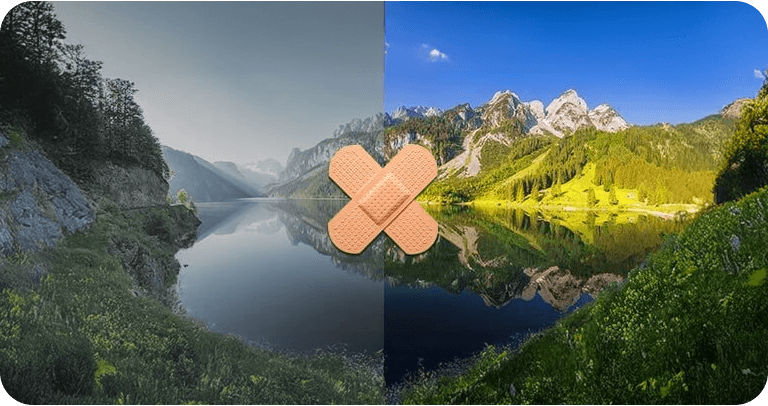
Auto-Enhance your Photos
Present Your Photos in Style
Whether you're enjoying your photos on your own or with friends and family, the new presentation mode is simply genius–especially in multi-display environments. You control the presentation on one display and your viewers get to enjoy the results on another, e.g. a video projector. You can even make live adjustments without leaving the presentation!
Apply Geotags

Salvage or Create
Not every shot is a hit! Photo Commander includes a special auto-feature that fixes overexposed or washed out colors with great results. You can also apply effects individually to add more vibrancy and structure to your shots, or combine them into breathtaking panoramic views.
Batch-Processing Done Right
Convert multiple images into different formats at once and adjust image size and aspect ratio in the process. Add watermarks or frames to your photos and rotate or mirror them to your needs. Modify brightness and contrast settings or eliminate image noise. You can do all that with batch-processing and save loads of time and effort!
Fast, Multi-Purpose Image Editing
Discover tools that optimize your photos, add filters and polish contrasts and colors. Straighten image horizons, clone areas, and accentuate details with the focus or tilt-shift effect. Adjust image size and rotation or crop your photos perfectly. Why buy several programs when you can just get the one that does it all in a single interface?
Step-by-Step Guidance
Ashampoo Photo Commander comes with multiple wizards that offer step-by-step assistance for various tasks. Whether you're designing a calendar, creating a collage, or batch-processing hundreds of photos, there's a wizard that will guide you through the process, no previous knowledge required. Pick your photos, select an option, and you're good to go!
System Requirements:
- Windows® 11, Windows® 10 (x64); Windows® 11 (ARM)
- Microsoft Visual C++ 2015 x86 Redistributable
- Screen Resolution: Screen resolution 1280 x 768 (Recommended: 1920 x 1080 )
- An Internet connection is required to activate the program. The program license is verified repeatedly at regular intervals.
- Full administrative rights are required to use the program.


)